
WinBerry casino mobile app: download, install and play from your phone
WinBerry runs its mobile side without the App Store or Google Play — the casino installs straight from your browser, drops an icon on your home screen, and the site even dangles an install reward to get you there. Here’s exactly how it works for players in Canada, what the mobile version can do, and where it falls short.
Getting the WinBerry app on your phone
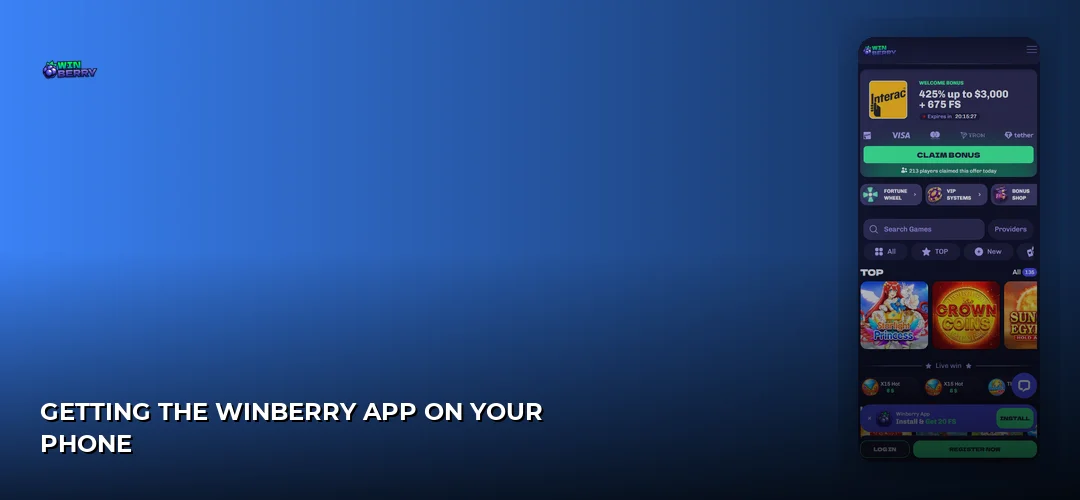
Yes, there is a WinBerry app, and you get it without a store listing. The operator ships an installable web app for iOS and Android: you open the casino site in your mobile browser, tap the install prompt, and the shortcut lands on your home screen. The site advertises this as “WinBerry App — Install & Get 20 FS”.
iPhone and iPad: install from Safari, not the App Store
There is no App Store listing to search for. On iOS, you load the casino in Safari, use the browser’s share menu to add the site to your home screen, and the installed web app opens full-screen without the browser chrome. Everything — the lobby, your balance, your bonuses — is the same session you already had in the browser.
Android: browser install instead of a Play Store download
Android users follow the same route. The install prompt appears in the browser, and the casino documents an installable Android package alongside the web app version. Because the file never passes through Google Play, your handset will ask you to confirm the install from an outside source — that’s normal for casino apps and it’s the trade-off for playing an operator that isn’t licensed in Canada.
The mobile browser works fine on its own
You don’t have to install anything. The casino states the site is fully optimised for smartphones and tablets, and sessions, balances and bonuses sync across devices, so you can start a session on your phone browser and continue on a tablet or laptop. One player review published on CasinoCanada even claims there is “no mobile app” while praising the browser version — a reminder that the install button is easy to miss if you land straight on a game page.
What you need to run it
- A current iPhone, iPad or Android phone/tablet with an up-to-date browser (Safari on iOS, Chrome on Android).
- A stable Wi-Fi or mobile data connection — every round is processed on the operator’s servers.
- A registered account: details on opening one are here: WinBerry registration process.
- Eligibility: players from Canada are accepted excluding Ontario, and you must be 19+ (18+ in Alberta, Manitoba and Quebec).
A quick disambiguation before you search
Searching the brand name pulls in things that have nothing to do with gambling. The winberry fruit is a bilberry-style wild berry; Winberry and Fall Creek are place names in Oregon’s Willamette Valley; and Winberry Farms is a cannabis producer whose Strawberry Cough strain products show up in dispensary listings. None of them are connected to this casino, its app or its operator. If you want the gambling product, you want the casino site described on this page: WinBerry full review.
What the mobile version actually does
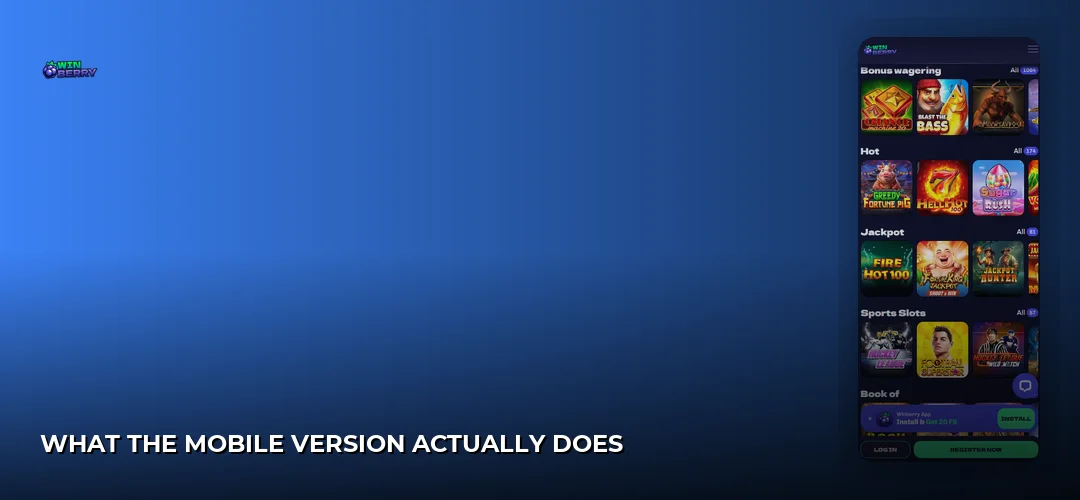
The mobile build is the full casino, not a stripped-down companion. The operator’s own FAQ describes it as “an installable web app for iOS and Android with full access to games and bonuses.” Because it loads the live site rather than a separate cut-down client, nothing is held back for desktop.
Games: the same library, resized
The catalogue runs to 3,400+ titles — 3,100+ slots, 70+ table games and 275+ live games — from studios including Pragmatic Play, Yggdrasil, Hacksaw Gaming, Play’n GO, Endorphina, TaDa Gaming, Betsoft, Fazi and OneTouch. Those studios build mobile-first, so reels, buttons and paytables scale to a handset without a separate mobile lobby. Deeper breakdowns live on their own pages: WinBerry slots and WinBerry live casino.
Account tools travel with you
Balances are held in Canadian dollars with no conversion fees, and the same account panel you’d use on desktop — deposits, cashouts, verification uploads, bonus status — is reachable from the phone. KYC documents (government-issued photo ID, proof of address dated within three months, and payment verification showing you own the method used) can be photographed and uploaded straight from the device camera, which is genuinely faster than scanning on a laptop.
Banking from the handset
All the Canadian rails work on mobile: Interac e-Transfer, Visa, Mastercard, Paysafecard and e-wallets, with crypto (BTC, ETH, USDT) as a secondary option. Deposits start from $10 and the stated payout window is 0–24 hours with priority processing for verified players.
Bonuses are claimed the same way
The install button itself carries a 20 FS reward. The main welcome offer is advertised as max. 425% up to C$3,000 + 675 Free Spins: 1st deposit 100% up to C$1,422 + up to 250 free spins; 2nd deposit 150% up to C$711 + 200 free spins; 3rd deposit 75% + 225 free spins; 4th deposit 100%. Minimum C$35 for the first deposit bonus and C$20 for the second, wagering 35x on real plus bonus balance, maximum bet C$7, free spins bet C$0.20, maximum win 10x up to C$4,266 on the first two deposit bonuses. Bonuses must be wagered within 168 hours and free spins within 24 hours. An exclusive four-part package with promo code CANUCK300 (max. 150% up to C$3,066 + 725 free spins, 45x wagering, min. deposit C$14) is listed separately.
Playing on mobile day to day
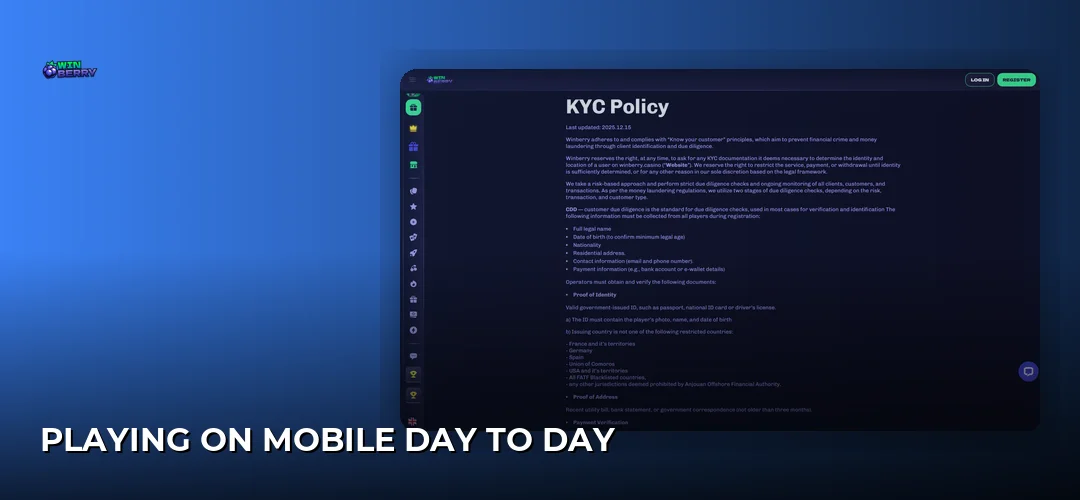
The WinBerry casino app behaves like the site because it is the site, wrapped in a home-screen shell. You get a full-screen lobby with no address bar eating vertical space, search and category filters sized for thumbs, and the same navigation you already learned in the browser — no second interface to relearn.
Interface, controls and screen orientation
Slots from the listed studios are built for touch: tap-to-spin, hold for turbo, swipe through paytables. Portrait suits reel games and the lobby; landscape gives live dealer tables and table games the width they need for bet layouts and side bets. Because rounds resolve server-side, performance depends mostly on your connection strength rather than the handset itself.
Installed web app vs. plain mobile browser
| Aspect | Installed WinBerry app | Mobile browser |
|---|---|---|
| How you get it | Install prompt on the site — no App Store or Play Store | Nothing to install; just open the URL |
| Launch | Home-screen icon, full-screen view | Browser tab with address bar visible |
| Install reward | Advertised 20 FS via the install button | Not applicable |
| Device permissions | Confirmation required for an install from outside a store | None beyond normal browsing |
| Session and bonus sync | Synced across devices | Synced across devices |
Where mobile wins and where it doesn’t
- Plus: no store approval queue, so the install is a two-tap job and the casino can push changes instantly.
- Plus: full game and bonus access, plus 24/7 live chat and support@winberry.casino in English and French from the same screen.
- Plus: Canadian-dollar balances with no conversion fees, and Interac e-Transfer available directly in the mobile cashier.
- Minus: no App Store or Google Play listing means no store-level vetting or review history to lean on.
- Minus: the install prompt is easy to overlook — at least one published player review concluded there was no app at all.
- Minus: the operator is licensed offshore in Anjouan, not in Canada, and Ontario players are excluded entirely.
Installing it step by step
The whole process takes a couple of minutes on either platform. You register (or log in), open the casino in your mobile browser, tap the install button, and confirm the prompt your operating system raises.
On iPhone and iPad
- Open the casino in Safari on your device.
- Tap the install banner, or use Safari’s share menu and choose the option to add the site to your home screen.
- Confirm the name and tap add — the icon appears with your other apps.
- Launch it, log in, and claim the advertised 20 FS install reward.
On Android
- Open the casino in Chrome on your Android phone or tablet.
- Tap the “WinBerry App — Install & Get 20 FS” button when it appears.
- Approve the confirmation dialog your device shows for installs that don’t come from Google Play.
- Open the new icon and sign in — your balance and any active bonuses are already there.
If the install doesn’t take
- No install prompt: you’re probably in a browser that doesn’t support it, or in private/incognito mode. Switch to standard Safari or Chrome.
- Android blocks the install: allow installs from the browser you’re using in your device’s security settings, then retry.
- Icon opens a blank screen: clear the browser cache and reopen — the shell reloads the live site each time.
- Login won’t go through: the fix usually sits with your account rather than the app — start here: WinBerry registration process.
- Nothing loads at all: check your province. Ontario is not served, and access outside the accepted regions is blocked.
Security, data and updates on mobile
Because the app is the live site in a home-screen wrapper, its security posture is the casino’s security posture: your credentials, balance and documents never sit in a separate third-party binary. That also means the operator’s licensing and verification rules apply identically whether you’re on a phone or a desktop.
Who stands behind the app
WinBerry has been operating in Canada since 2026 under Anjouan licence No. ALSI-202510054-FI2, issued by the Anjouan Offshore Financial Services Authority under Computer Gambling Law No. 007 of 2005. The review lists the owner as Bitpulse Solution Limitada, while the site’s Terms name the operating company as 3-102-937610 SRL, registered in Costa Rica (registration number 3102937610) with a registered office in San Jose, Montes de Oca, Barrio Dent. This is an offshore licence — not a Canadian one.
Verification from your phone
KYC may be required before a withdrawal clears. From mobile you can supply a valid government-issued photo ID (passport, national ID card or driver’s licence) showing photo, name and date of birth; proof of address such as a recent utility bill, bank statement or government correspondence no older than three months; and payment verification — bank statements or screenshots showing ownership of the methods used. Enhanced Due Diligence covering source of funds or wealth applies to high-risk profiles or transactions above $10,000 USD.
Data use and staying current
Games stream from the operator’s servers, so a live connection is required for every round and heavy live-dealer sessions consume noticeably more data than reel games — Wi-Fi is the sensible default for tables from the 275+ live selection. Updates take care of themselves: the shell loads the current site each time you open it, so there is no manual patch to download and no version to chase. Published performance figures for the casino are a 98% total payout and a 97.86% average RTP, with provably-fair games available.
Frequently asked questions about WinBerry
Does WinBerry casino have a mobile app?
Yes. The operator offers an installable web app for iOS and Android that carries full access to games and bonuses. It installs directly from the browser rather than an app store, and the site promotes it with a “WinBerry App — Install & Get 20 FS” button. Sessions, balances and bonuses sync across your devices.
How do I download the WinBerry casino app?
Open the casino in Safari or Chrome on your device and tap the install button on the site. On iPhone you can also use Safari’s share menu to add the site to your home screen. Confirm the prompt your device raises, then log in through the new icon.
Is the WinBerry app available for iPhone?
Yes, iOS is supported — but not through the App Store. You install it from Safari, which places a home-screen icon that opens the casino full-screen. Functionally you get the same lobby, cashier and bonus tools as desktop, with your balance in Canadian dollars and no conversion fees applied.
Can I play all games on the WinBerry mobile app?
The operator states the installable app gives full access to games and bonuses, so the 3,400+ title library — 3,100+ slots, 70+ table games and 275+ live games from studios such as Pragmatic Play, Yggdrasil, Hacksaw Gaming, Play’n GO and Betsoft — is reachable from the phone lobby.
Is the WinBerry mobile app safe to use?
The app loads the live casino site, so it inherits the operator’s licensing and verification framework: Anjouan licence No. ALSI-202510054-FI2 and mandatory KYC checks before withdrawals. That licence is offshore, not Canadian, so judge it accordingly. Install only from the casino’s own site, never from a third-party file host.
Can I deposit and withdraw using the mobile app?
Yes — the mobile cashier carries the same rails as desktop: Interac e-Transfer, Visa, Mastercard, Paysafecard and e-wallets, plus crypto (BTC, ETH, USDT). Deposits start from $10 and the stated payout window is 0–24 hours, with priority processing for players who have already cleared verification.
Do I need to download the app or can I play in browser?
Installing is optional. The site is fully optimised for smartphones and tablets, and one published player review reported playing happily in the browser alone. The installed version adds a home-screen icon, a full-screen view and the advertised 20 FS install reward; everything else is identical, since both load the same site.
What are the system requirements for WinBerry mobile app?
A current iPhone, iPad or Android phone or tablet with an up-to-date Safari or Chrome browser and a stable Wi-Fi or data connection. Android may ask you to allow an install that didn’t come from Google Play. You also need to be in an accepted region — Canada excluding Ontario — and 19+, or 18+ in Alberta, Manitoba and Quebec.
Ready to put WinBerry on your home screen?
Two taps in your browser, an icon on your phone, 3,400+ games in your pocket and the install reward waiting on the other side — this is the easiest casino install going, and the welcome package of max. 425% up to C$3,000 + 675 Free Spins is sitting right behind it.